วิธีใช้ MEKs
เริ่มต้นได้ภายในไม่กี่นาที และยกระดับการไลฟ์สด TikTok ของคุณด้วย MEKs
ดาวน์โหลดคู่มือฉบับเต็มคู่มือเริ่มต้นใช้งานอย่างรวดเร็ว

ดาวน์โหลดและติดตั้ง
ดาวน์โหลดตัวติดตั้ง MEKs (.exe) สำหรับ Windows แล้วเรียกใช้งาน การติดตั้งใช้เวลาไม่ถึงหนึ่งนาที

กรอกรหัสเปิดใช้งาน
เปิดแอป กรอกรหัสเปิดใช้งานของคุณ แล้วการสมัครสมาชิกจะปลดล็อกทันที

เชื่อมต่อและเริ่มไลฟ์
กรอกชื่อช่อง TikTok ของคุณ เลือกโหมด แล้วกด Start Collecting
เลือกโหมดไลฟ์ของคุณ
MEKs รองรับรูปแบบการแข่งขันที่หลากหลาย
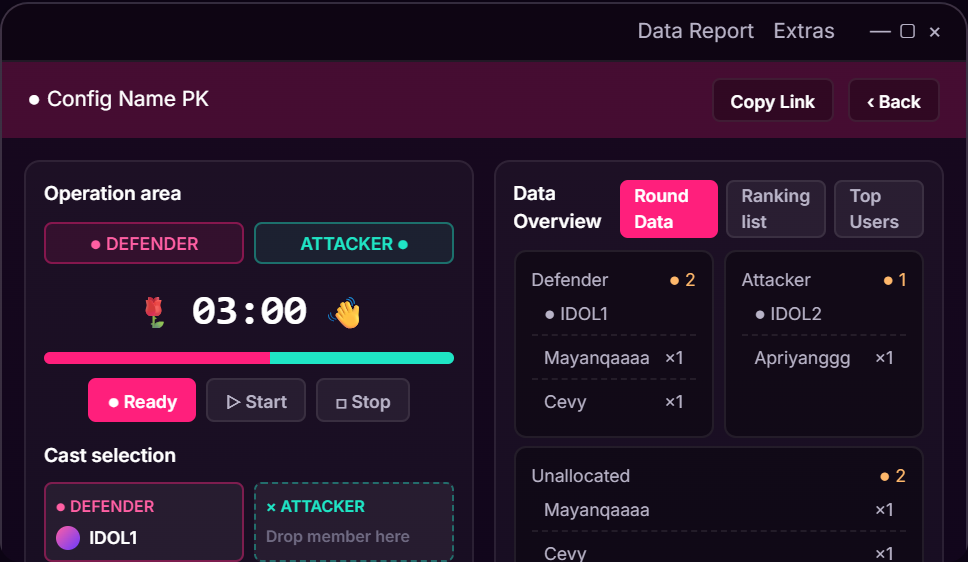
โหมด PK
จัดการแข่งขันไลฟ์แบบตัวต่อตัวที่น่าตื่นเต้น พร้อมติดตามคะแนนและอันดับแบบเรียลไทม์
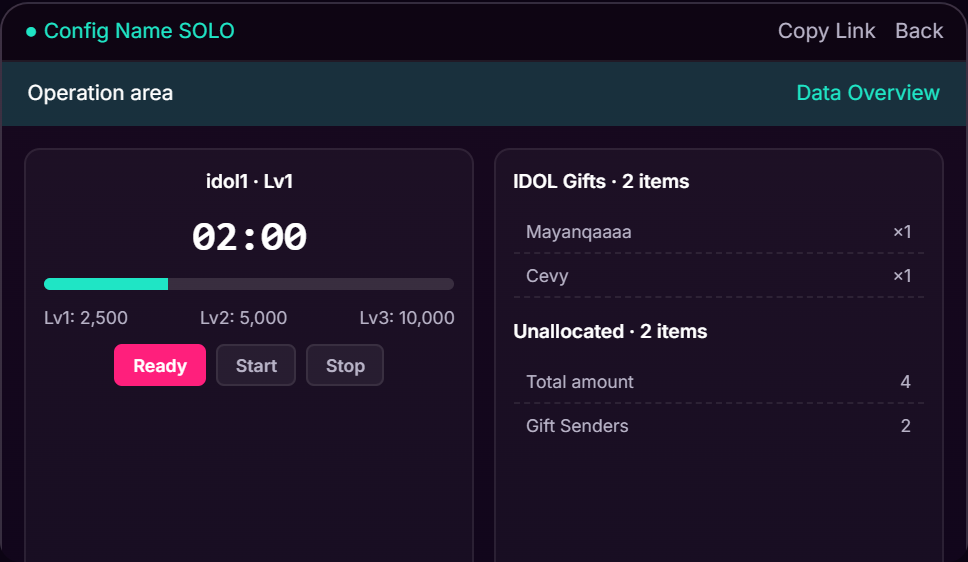
โหมด Solo
ติดตามเป้าหมาย ของขวัญ และประสิทธิภาพระหว่างการไลฟ์สดเดี่ยว
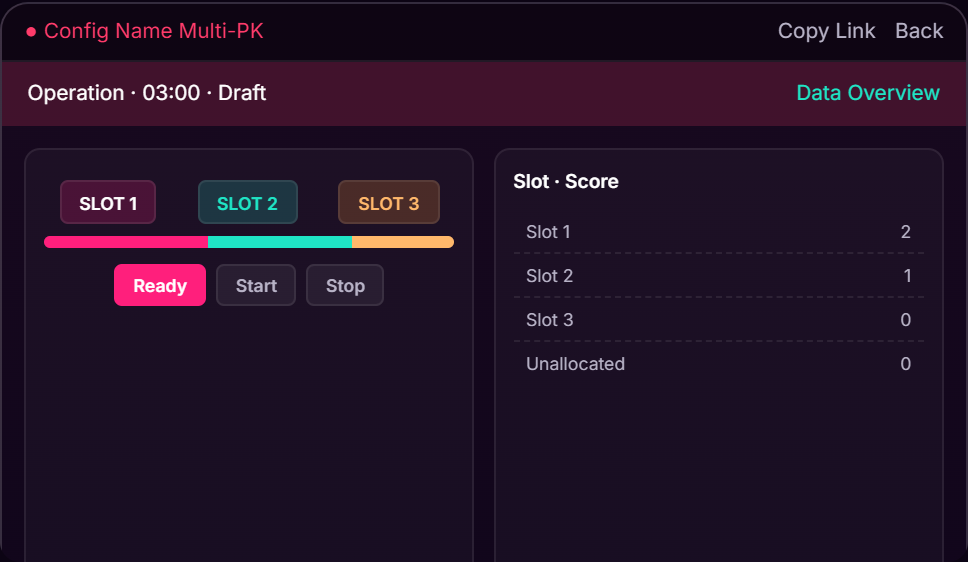
โหมด Multi-PK
จัดการผู้เข้าร่วมหลายคนและเปรียบเทียบอันดับได้จากแดชบอร์ดเดียว
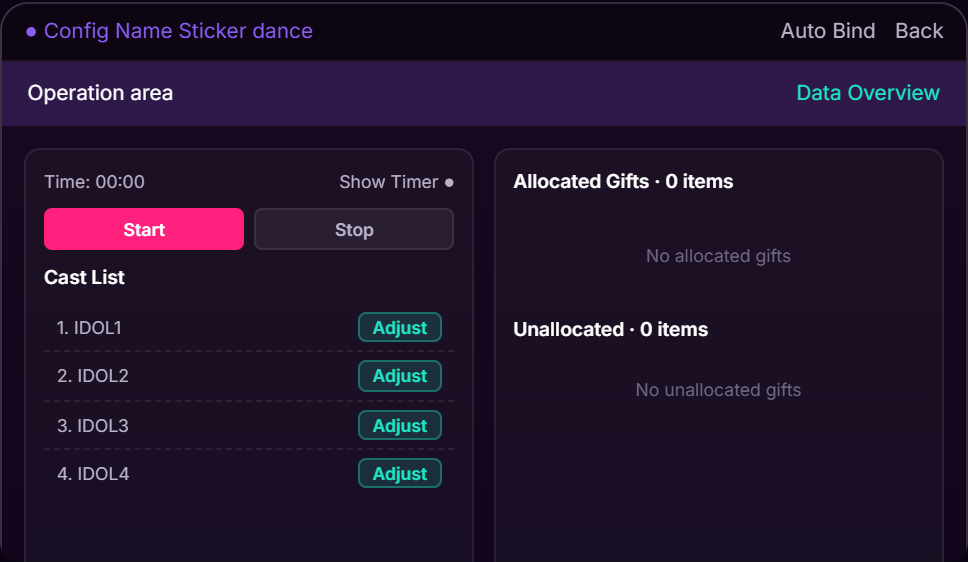
โหมด Sticker Dance
สร้างกิจกรรมของขวัญแบบอินเทอร์แอกทีฟพร้อมแอนิเมชันและโอเวอร์เลย์แบบเรียลไทม์
การวิเคราะห์และรายงาน
ติดตามประสิทธิภาพและส่งออกข้อมูลหลังทุกกิจกรรม

การวิเคราะห์แบบเรียลไทม์
ติดตามของขวัญ เหรียญ อันดับ และประสิทธิภาพของผู้เข้าร่วมแบบเรียลไทม์

รายงานและการส่งออก
ส่งออกผลการแข่งขัน บันทึกของขวัญ และสถิติหลังจบแต่ละเซสชัน
ต้องการคำแนะนำโดยละเอียดไหม?
ดาวน์โหลดคู่มือผู้ใช้ MEKs ฉบับสมบูรณ์ เพื่อดูคำแนะนำการตั้งค่าโดยละเอียด คู่มือการกำหนดค่า และเคล็ดลับขั้นสูง
ดาวน์โหลดคู่มือ PDF